Photomyne is a simple app that lets you scan old photos, slides, and negatives with speed and quality. It helps you digitize, preserve, and organize family albums, artwork, and children’s memories using AI-powered features. You can colourize black and white photographs, refine details, sharpen images, and prevent blurriness for vibrant and fresh digital formats.
Photomyne is a simple app that lets you scan old photos, slides, and negatives with speed and quality. It helps you digitize, preserve, and organize family albums, artwork, and children’s memories using AI-powered features. You can colourize black and white photographs, refine details, sharpen images, and prevent blurriness for vibrant and fresh digital formats.
Photomyne Review Summary
Performance Score
+A
Layout
User-Friendly
AI Technology
Image Recognition
Colorization
Face Animation
Enhancement & Restoration
Purpose of Tool
Preserve memories with Photomyne
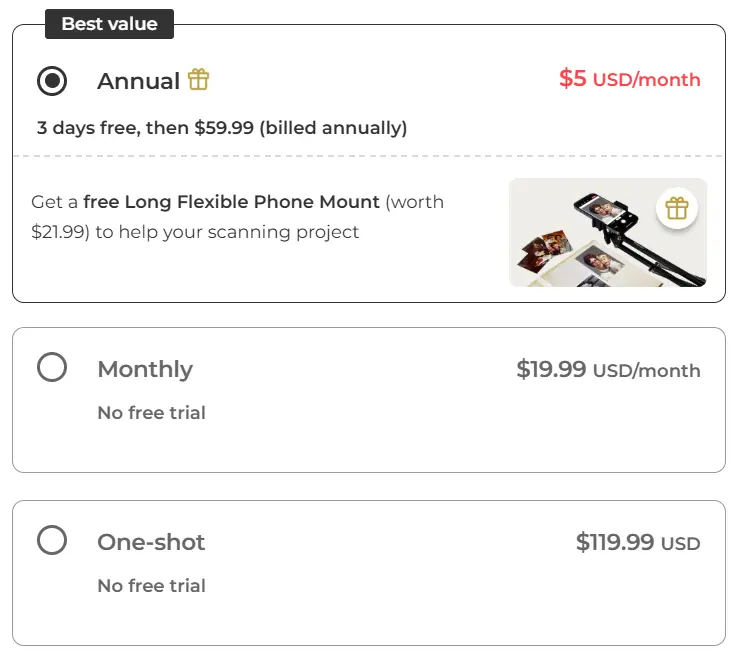
Pricing
Free and Paid
Who Is Best For Using Photomyne?
Family & Genealogy – Best for digitizing old photos, documents, memorabilia to preserve family history and relive memories.
Students & Researchers – Useful for digitizing historical archives and converting physical collections into digital formats for study.
Professionals – Real estate agents and event planners can digitize property photos or recreate nostalgic events for sharing online.
Artists & Collectors – Great for digitizing artwork, stamps, coins, slides, negatives, kids’ art, making digital albums and portfolios.
Tech Users – With a smartphone scan, AI-powered algorithms can auto-detect, crop, rotate, restore faded images, colourise, and clarify blurry faces in minutes.
Creative Individuals – Easy to arrange photos, add tags, names, text, audio, locations, and create Sharpy animations to keep memories connected.
Features of Photomyne
Batch Scanning
Auto-Enhancement
Cloud Storage
Colorization
Perspective Correction
Picture Sharpening
Picture Digitizing
Album Arrangement
Digital Albums
Face Animation
Automatic Detection & Cropping
Music Integration
Animation Feature
Voice Control
Pros of Photomyne
Fast Scanning: You can scan hundreds of photos quickly compared to traditional methods.
Smartphone Digitizing: A smartphone makes it easy to digitize anytime, anywhere.
Album Management: Easily create and manage digital photo albums in the app.
User-Friendly Design: Photomyne is designed for simplicity and ease of use for all tech-savviness levels.
High-Quality Enhancements: Scanned originals improve with Photomyne’s advanced enhancement features.
Versatile Tools: Use scanning tools for organizing, enhancing, and sharing digitalized photos.
Family Archive: A tool to archive family memories, share and pass to future generations.
Creative Editing: Work on black-and-white images, colorize, refine, and generate effects, even add music.
Slides & Negatives: Bring back slides, pictures, and negatives by sharpening and removing blurring.
Fun Animations: Easily animate faces for a lively touch.
Your scanned photos are stored in albums on a local device, while paying members get them uploaded to Photomyne’s cloud. Through this cloud service, photos and albums can be shared with others.
The free version of Photomyne offers basic photo scanning, but many features like unlimited use and cloud storage need a paid subscription. You can scan photos, yet limitations on the number of scans and access to premium options still apply.